

AI Product Photography for Small Business: Turn Phone Pics Into Studio Shots
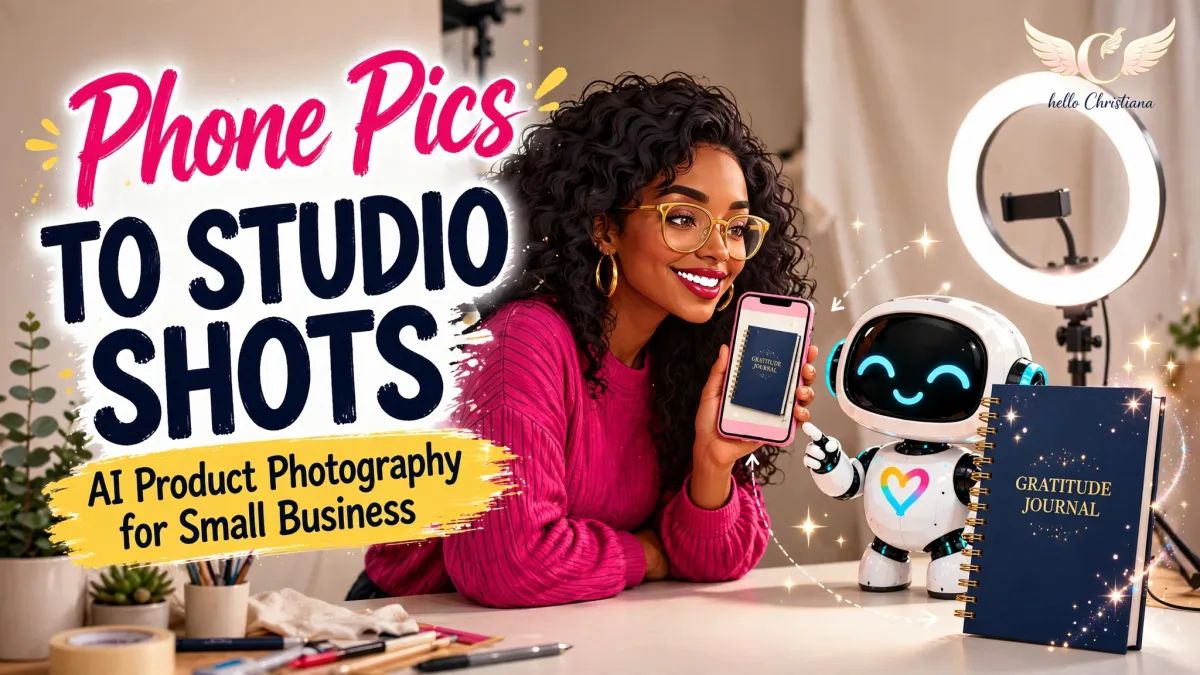
AI product photography for small business owners means using AI image tools to turn one good phone photo into clean studio shots and lifestyle shots — without renting a studio or hiring a photographer. Your product stays exactly the same. Only the scene around it changes.
What Is AI Product Photography?
AI product photography is the process of uploading a real photo of your product to an AI image tool (like Claude or ChatGPT) and asking it to change only the setting — the background, the light, the styling — while keeping the product itself untouched. Same colors. Same shape. Same words on it. If the result shows anything your customer won't actually receive, that's not marketing. That's a return and a bad review waiting to happen.
That's the golden rule of this whole post: AI changes the scene. Never the product.
Here's the honest truth about why this matters. Your product is better than your photos. People don't buy what they can't clearly see — and a dim photo on a busy table makes a good product look cheap. You don't need a studio. You need one decent phone photo, then AI does the part the studio used to do.
This works even better when the AI already knows your business — your brand colors, your products, how you talk. That's exactly what an AI Business Brain is for, and it's why my Lab members build theirs first.
What Do You Need Before You Generate?
AI can't rescue a blurry photo. Give it something to work with — this takes about 10 minutes:
Window light, daytime. Product facing the window. No overhead yellow light, no flash.
Clean, plain surface. A white poster board or a plain bedsheet beats a "nice" cluttered table, every time.
Fill the frame. Get close. Product big, background small.
Take 4 angles. Front, 45-degree angle, close detail, and in-hand or next to a common object so people get the size.
Tap to focus, wipe the lens. Yes, really. Half of "bad photos" are just a smudged lens. We've all been there.
Pick your sharpest front shot. That's your hero photo — the one we're about to dress up.
Prompt 1: The Clean Studio Shot
Upload your hero photo to Claude or ChatGPT and paste:
Keep this product EXACTLY as it is — same colors, same shape, same size, same pattern, same text, nothing added to it and nothing removed from it. Change only the setting: place the product on a clean, bright studio background in [YOUR BRAND COLOR OR "SOFT WHITE"], with soft natural shadows, bright even lighting, and lots of empty space around it. The result should look like a professional product listing photo — the kind a customer can zoom in on and trust.
Then check it like a customer: zoom in. Colors match the real thing in your hand? Text reads correctly? If the tool garbled any words — it loves to garble small text — re-run and add: "The text on the product must stay exactly as shown in my photo. Do not redraw it."
Prompt 2: The Lifestyle Shot (The One That Sells the Feeling)
A clean shot builds trust. A lifestyle shot builds desire. You need both.
Keep this product EXACTLY as it is — same colors, shape, size, pattern, and text. Do not change the product in any way. Change only the scene: show the product [IN USE / ON A PARTY TABLE / IN A BRIGHT, HAPPY HOME — DESCRIBE YOUR CUSTOMER'S REAL SETTING], in warm natural light, styled simply with 2–3 realistic props that a real customer would have nearby. It should feel like a photo a happy customer took on a really good day — real, warm, and believable. Not an advertisement that looks fake.
"Believable" is the word doing the heavy lifting. The moment a lifestyle photo looks fake, trust drops — and trust is the whole sale.
Prompt 3: One Shot Into a Week of Visuals
Using this same product photo, and keeping the product 100% unchanged, give me a plan for 5 visuals: 1. A clean listing photo 2. A lifestyle photo 3. A close-up detail photo with a one-line caption naming the detail 4. A "what's included" flat-lay-style photo listing everything that comes with it 5. A social post photo with empty space at the top for me to add text in Canva. For each one, write me the exact prompt to generate it, using my brand colors: [YOUR COLORS].
Now it's a system: same 5 shots, every product, same look across your whole shop. That consistency is what makes a small shop look like a brand . And once your photos are handled, the same assistant can keep going — there are 100 tasks your AI assistant can do for your business, from captions to customer emails.
Why Are the Prompts Worded This Way?
"EXACTLY as it is" comes first, twice. The tool reads the opening as the priority. Product protection goes first so everything after it is understood as background-only.
One change per prompt. Studio first, lifestyle second, plan third. Ask for everything at once and the tool starts making choices you didn't approve — usually about your product.
The zoom check is part of the system, not paranoia. AI artifacts hide at small sizes. Your customers zoom. Check like they will.
The 5-visual plan is where the time saving lives. The first product teaches the look. Every product after it is a 10-minute repeat, not a new photoshoot.
What Does It Actually Give Back? A Real Run
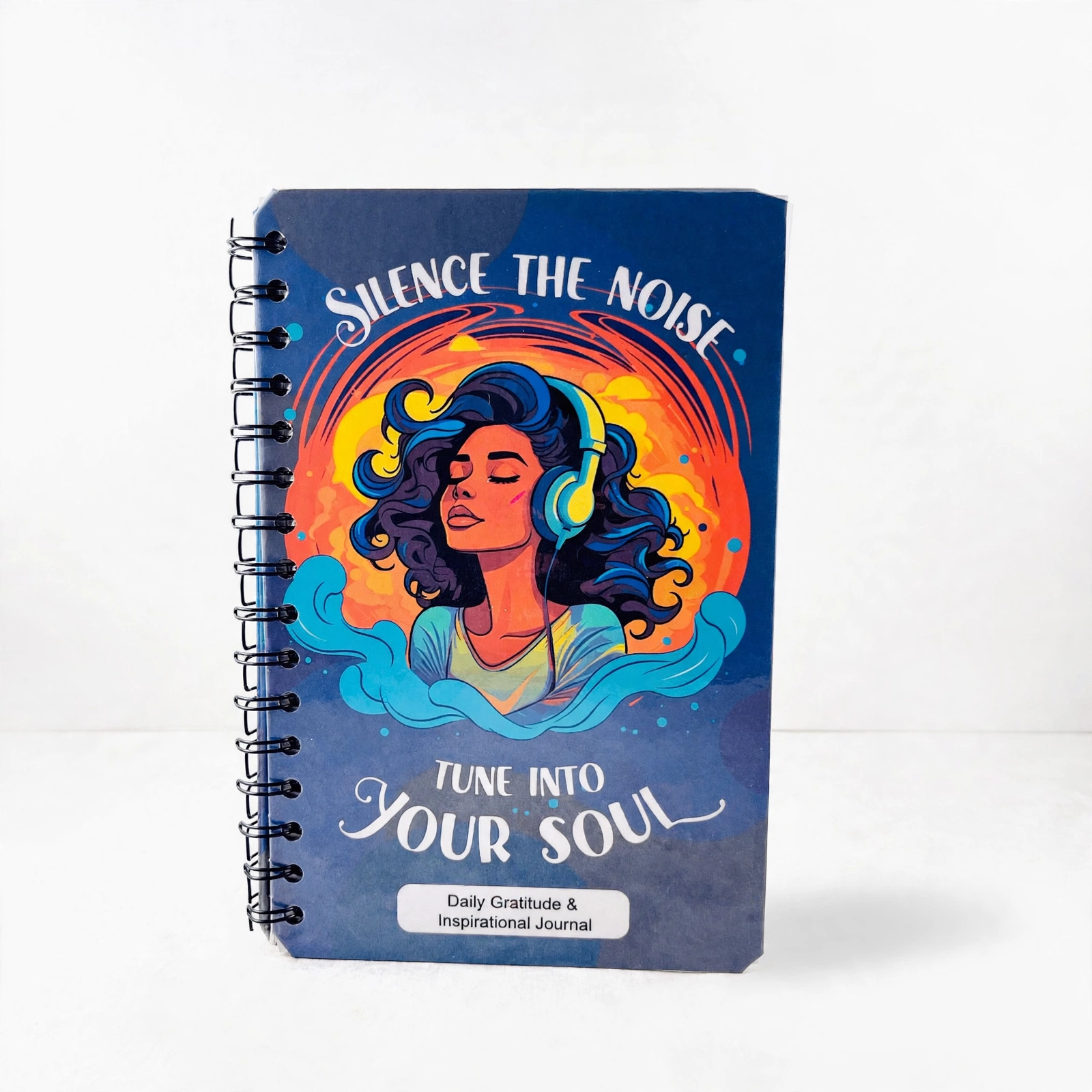
I ran this exact process on a real product: a spiral-bound gratitude journal with mindfulness prompts with a navy cover and a LOT of small text — the hardest kind of product for this.
Original: a plain phone photo on a plain surface. Fine product, plain presentation.
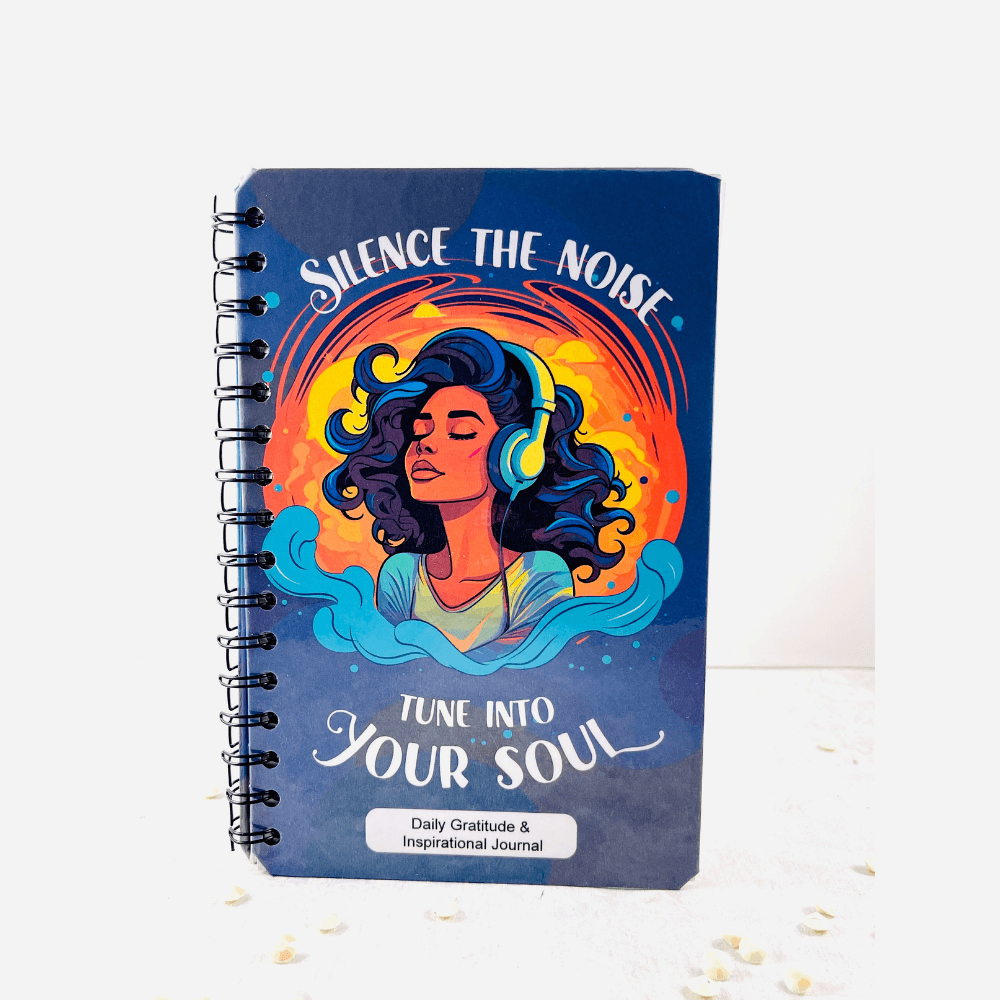
Studio result (Prompt 1, soft white): the journal standing on a clean white studio background, listing-ready. Every word on the cover stayed exact — title, subtitle, all of it.
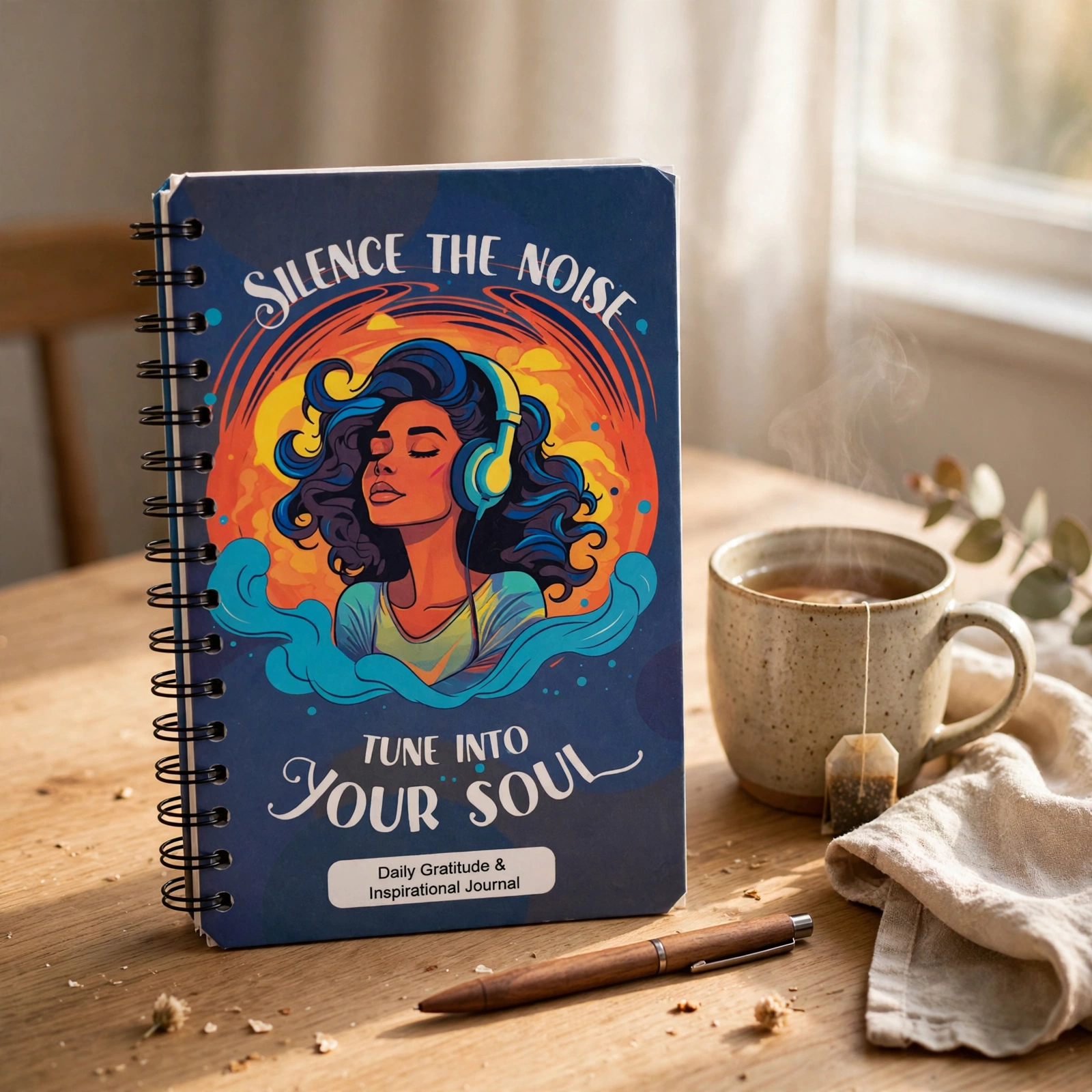
Lifestyle result (Prompt 2, cozy morning desk): the same journal, untouched, beside a steaming mug of tea and a pen in warm window light. It looks like a customer's good morning, not an ad.
What held: product colors, shape, spiral binding, cover art, and ALL cover text — across both generations. That's the golden rule doing its job.
Your results will vary by product — glossy, reflective, and very dark products are the fussy ones — but the check is always the same: zoom, compare with the real thing in your hand, re-run if anything moved.
What If It Comes Back Wrong?
Four fixes that almost always work:
Colors drifted. Stop re-prompting and fix the starting photo — wrong colors almost always start with yellow indoor light. Re-shoot by the window, then add: "Match the product colors in my photo exactly. Do not brighten, saturate, or recolor the product — only the background may change."
Text got garbled. Use the photo with the least text in frame, and the do-not-redraw line from Prompt 1. Small text is the first thing AI breaks and the frst thing customers notice.
The product changed shape or size. The scene description is overpowering the product. Simplify the scene to one line and repeat the protection sentence at the END of the prompt as well as the start.
Lifestyle shot looks like a stock ad. Remove props, keep one. Add: "Shot on a phone by the customer, slightly imperfect, real home light."
Good to Know Before You Post Your New Photos
Alt text on every image. One sentence: what the product is, what color, what setting. It helps customers who use screen readers find and buy yor products — and it helps search find you. Accessibility is not extra. It's good business.
Same order, every listing. Hero, lifestyle, detail, what's included, size. Customers learn how to shop your store.
Keep your originals. Save the unedited phone photos in a folder. If a platform r a customer ever asks, you have the real thing, untouched.
Prompts work across tools. Claude, ChatGPT, and most image editors take these as written — only the upload button moves. (Not sure which tool fits you? My breakdown of ChatGPT vs Claude vs Perplexity will help you pick.)
Frequently Asked Questions
Is AI product photography honest? Isn't it fake?
It's honest when the product in the photo is exactly the product your customer receives. Changing a background is staging — photographers have done it for a century. Changing the product itself is lying. This process protects the product and only changes the scene.
Which tool is best for AI product photos?
Claude and ChatGPT both handle these prompts well. Pick the one you already use for your business writing so everything lives in one place — the prompts matter more than the platform.
What if my product has a lot of text on it, like a book or journal?
Text-heavy products are the stress test. Use the photo with the least text in frame, add the do-not-redraw line, and zoom-check every word against the real product before you post. If one word is wrong, re-run — don't ship it.
Can AI photos replace real photos completely?
Keep your originals and keep shooting real photos. AI turns one good photo into a full set of visuals; it doesn't replace knowing your product in real light. Think of it as a studio you carry in your pocket, not a substitute for the product itself.
Your Turn
4 phone angles taken in window light, lens wiped, frame filled
Hero shot picked
Prompt 1 studio shot generated — and zoom-checked against the real product
Prompt 2 lifestyle shot generated — believable, product unchanged
Prompt 3 5-visual plan saved for the next product
Alt text written for every new image
Want the full walkthrough with a live demo and a room full of business owners doing it alongside you? That's what we do inside The AI Business Lab — and if you'd rather work through your whole AI setup one-on-one, you can book a call and we'll map it together. For a weekly dose of practical AI like this, join Between Us & the Bots — AI news, workflows, and a little tech tea, in plain English.
And when your photos are ready to move, the next step is video: my Claude video editor starter prompts turn those stills into content, and AI voice assistants for small business shows what happens when your business starts answering back.
Practical AI for the real world. — Christiana
The AI Business Lab
Every week, one working AI skill. One hour. Every Wednesday at 6 PM ET, I pick one AI skill and teach it start to finish. You show up, build it with me, and leave with something you can use in your business the same day. Join live and it's free. Can't make it? Grab the replay inside the Lab.