

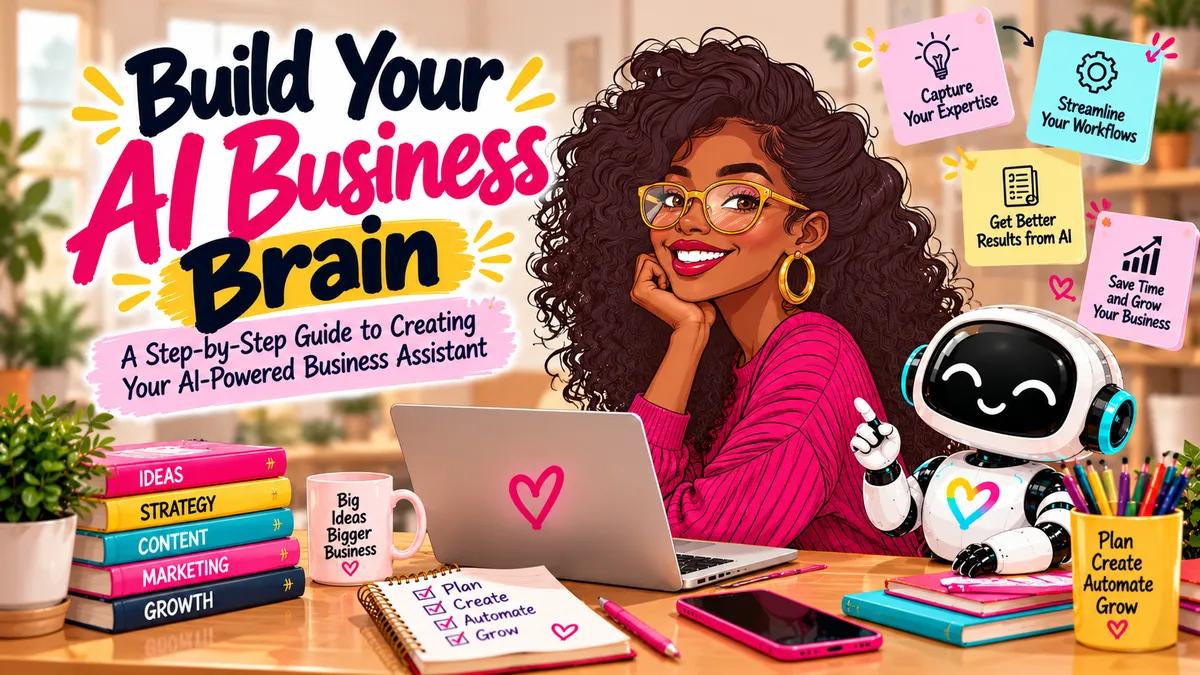
Build Your AI Business Brain
An AI Business Brain is a reusable document that teaches Claude your products, customers, brand voice, policies, and goals — so every answer starts from your real business, not a generic guess.
You know this moment.
You open Claude. You type a simple request. "Write an Instagram caption for my new product."
And you get back something… fine. Generic. Could belong to anybody's business. So you start explaining. Who your customers are. How you talk. What you would never say. Twenty minutes later, you have a caption — and zero desire to do that dance again tomorrow.
Here's the practical version: that is not an AI problem. That is a context problem.
Claude is not ignoring your business. You never actually taught it your business — at least, not in a way it can keep and reuse. This workbook fixes that, once, in about 30 to 45 minutes.
This is the blog version of the free workbook, Build Your AI Business Brain: The Small Business Owner's Workbook — a bonus resource from my workshop, Get Your Business Holiday Ready With Claude. Everything is on this page: the questions, both copy-and-paste prompts, and the starter prompts to put it to work. Comment BRAIN on my Instagram post and I'll DM you this page directly.
What is an AI Business Brain?
An AI Business Brain is one organized document about your business:
Business Overview
Brand Identity and Voice
Ideal Customer Profiles
Products and Services
Business Operations
Marketing and Sales Strategy
Business Goals and Priorities
Important Business Rules and Constraints
You build it once. You save it. Then you reuse it in a Claude Project, paste it at the start of a new chat, or keep it as the reference behind every prompt you write. The AI stops starting from zero — and so do you.
It starts with three questions. If you were in my holiday workshop, you have already answered them:
What is your business, and what do you sell or offer?
Who are your ideal customers?
What makes your business different?
Here is an example, from a fictitious shop:
Confetti Lane Co. sells colorful, personalized stationery and gifts for busy women who want thoughtful gifts without spending hours searching. Our products stand out because of their bold colors, creative designs, and personalization options.
Three sentences. That is the seed. The workbook grows it into the full document.
Step 1: Define your brand identity
AI can write a hundred captions. If none of them sound like you, what was the point?
Answer these:
What is your business's mission?
What values guide your business?
What three to five words describe your brand?
What tone should your marketing use?
Are there words or phrases you never want to use?
What should customers feel when they interact with your business?
Confetti Lane's answer, as an example: vibrant, warm, playful, and thoughtful — friendly and personal, never stiff or overly corporate. Your answer will be different. That is exactly why it works.
Step 2: Understand your ideal customers — for real
Go past demographics. Age and zip code do not write good marketing. Real problems do.
Who is your primary customer?
What problems are they trying to solve?
What motivates them to purchase?
What frustrates them about existing options?
What questions do they ask before buying?
What objections prevent them from purchasing?
Where do they typically discover businesses like yours?
Describe real behavior, not an elaborate fictional persona. A busy working mom who needs meaningful teacher gifts, does not have time to visit five stores, and wants something affordable and easy to order — that is a customer AI can actually write for.
Step 3: Document your products and services
If AI does not know your real offers, it will invent new ones. Confidently.
What are your main products or services?
What benefits does each provide?
What are your best sellers?
What are your typical prices or price ranges?
What customization options are available?
What makes your offerings different?
Are there seasonal products or services?
What limitations should customers know about?
Write a short profile for your three most important offers: name, benefit, price, options, and who it is best for. Service providers — same thing, with packages, deliverables, timelines, and booking requirements.
Step 4: Explain how your business operates
This is the step most people skip, and it is the one that saves you from bad advice.
Where do you sell your products or services?
What are your business hours?
What is your typical turnaround time?
What is your shipping or delivery process?
What is your return or cancellation policy?
What tools do you currently use?
What tasks take the most time?
What business processes would you like to improve?
A personalized gift business may need several days to produce custom orders. If Claude knows that, it will never plan you a promotion that promises what you cannot ship.
Step 5: Show AI your marketing and sales strategy
Where do you currently market your business?
Which marketing channels work best?
What content do your customers engage with?
What promotions have worked in the past?
How do customers typically purchase?
What happens after someone shows interest?
Do you have an email list?
How do you encourage repeat purchases?
And my favorite question in this whole workbook: What is one marketing task you wish you could stop doing manually? Hold onto that answer. It is usually the first automation worth building.
That one answer? That is usually your first automation waiting to happen. One owners love handing off first: AI voice assistants for small business.
Step 6: Set your business goals
What are your top three business goals?
What would you like to accomplish in the next 90 days?
What is your biggest business challenge?
What resources do you have available?
What is your marketing budget?
How much time can you realistically spend on marketing?
What does success look like?
AI cannot aim at a goal you never told it about. Tell it.
Step 7: Let Claude build the Business Brain for you
You do not organize any of this by hand. Paste your answers into Claude, then paste this prompt:
Act as an experienced small business strategist.
I'm going to share information about my business, including my brand, customers, products, operations, marketing, and goals.
Your task is to organize this information into a comprehensive AI Business Brain.
Create the following sections:
1. Business Overview
2. Brand Identity and Voice
3. Ideal Customer Profiles
4. Products and Services
5. Business Operations
6. Marketing and Sales Strategy
7. Business Goals and Priorities
8. Important Business Rules and ConstraintsUse only the information I provide.
Do not invent business facts, customer data, policies, pricing, or performance results.
If important information is missing, identify the gaps and ask me questions.
Write the document in a clear, organized format that I can save and reuse with AI tools.
After creating the document, suggest five ways I could use this Business Brain to save time or improve my business.
Read what comes back, line by line. Correct anything that is off. Accuracy is the whole game.
Too many questions? Let Claude interview you instead
Some owners would rather talk than fill in blanks. Same result, easier path. Use this prompt and answer one question at a time:
Act as my small business strategist.
I want to create a detailed AI Business Brain that will help you understand my business.
Interview me about my business using these categories:
1. Business Overview
2. Brand Identity
3. Ideal Customers
4. Products and Services
5. Business Operations
6. Marketing and Sales
7. Business GoalsAsk me one question at a time.
Keep your questions simple and easy to understand.
If my answer is unclear, ask a follow-up question.
Do not make assumptions about my business.
After completing the interview, organize my answers into a professional AI Business Brain that I can save and reuse.
At the end, identify any important information that is still missing.
Save it, then put it to work
Save the finished document somewhere you control, and add it to a Claude Project for your business so every conversation starts informed. It also works in ChatGPT and other AI assistants — paste it at the start of a chat and confirm the tool should use it as its reference.
Then run one of these five starter prompts today. Notice every one starts the same way — that first line is the habit this workbook is really teaching:
Social media: Using my AI Business Brain as your reference, create five Instagram posts that speak to my ideal customers.
Marketing: Using my AI Business Brain as your reference, suggest three promotional campaigns based on my business goals.
Customer service: Using my AI Business Brain as your reference, draft answers to my most common customer questions using my actual policies.
Product descriptions: Using my AI Business Brain as your reference, write a product description that reflects my brand voice and customer needs.
Business planning: Using my AI Business Brain as your reference, identify three ways I could simplify my weekly business operations.
Add the holiday layer — without rebuilding anything
Your Business Brain is evergreen. Keep it that way. Seasonal details live in a small separate add-on you can swap each season:
What are your seasonal products, services, or offers?
What is your holiday sales goal?
What promotions are you planning, and when do they run?
What are your key holiday dates and cutoffs — last order date, last booking date, shipping deadlines?
Is there anything you are not offering this season?
Paste the add-on in with your Business Brain whenever you plan seasonal work. When the season changes, only the add-on changes.
Keep your Business Brain updated
Your business changes. Your AI context should too. Do a quick review monthly, and any time you introduce new products or services, change prices or policies, learn something new about your customers, change your marketing strategy, reach a major goal, or add new tools or workflows.
And one safety rule, in plain language: never put sensitive customer information, passwords, financial account details, or confidential business records into your Business Brain or any AI tool. It describes how your business works. It never holds your customers' private data.
Frequently asked questions
How long does it take to build an AI Business Brain?
About 30 to 45 minutes with this workbook — less if you use the interview prompt and answer out loud, one question at a time.
Do I have to use Claude?
Claude is the primary tool this workbook was built for. The same document and prompts also work with ChatGPT and other AI assistants. I compared the big three in ChatGPT vs Claude vs Perplexity.
How is this different from a brand guide?
A brand guide covers voice and visuals. A Business Brain also covers your customers, offers, operations, policies, marketing, and goals — everything an AI assistant needs to give you advice your business can actually use.
What should I do after I build it?
Put it to work with the five starter prompts above — then go bigger with my 100 Tasks Muse Can Do for Your Online Shop, and see what a well-briefed AI can do in Claude Edited This Video.
Your move
Thirty to forty-five minutes. One document. Every AI conversation after it gets better — more specific, more on-brand, more useful.
Want the next breakdown like this in your inbox? Join Between Us & the Bots, my newsletter for AI news, workflows and automations, and a little tech tea: https://hellochristiana.com/newsletter
And if you want help building your Business Brain or putting it to work in your business, book a discovery call and let's look at where AI actually fits for you: https://hellochristiana.com/book-a-call
Practical AI for the real world. — HelloChristiana
Now go use it.