

Why Your AI Gives Dumb Answers (And How to Fix It) Day 4
Why Your AI Gives Dumb Answers (And How to Fix It) - Day 4
You typed your question. You hit enter. You waited.
And what came back was... fine. Technically. Like, it answered something. But it wasn't what you needed. It was too generic. Too wordy. Weirdly formal. Or so vague you could've Googled it yourself and saved the drama.
Sound familiar? You're not alone, and you're not doing it wrong. Well—okay, you might be doing it a little wrong. But that's what we're fixing today.
The truth is, AI doesn't give bad answers because it's broken. It gives bad answers because it didn't have enough information to give you a good one. And once you understand that, getting better results becomes a lot more straightforward.
This is Day 4 of 21 in the AI Made Simple Series — where I break down AI tools and concepts in plain English for small business owners who don't have time for tech jargon.
⬅️ Day 3: What Is a Chatbot | Day 5: Prompt Libraries — The AI Cheat Codes ➡️
Why Does AI Give Such Generic Answers?
AI gives generic answers when it gets generic questions. The tool isn't being lazy—it's doing exactly what you asked. If your prompt is vague, the response will be too.
Think about it like this. If you walked up to a stranger and said "write me something for my business," they would stare at you. What business? What kind of something? For who? AI is the same way. It needs context to give you something useful.
The fancy term for this is prompt engineering—which sounds intimidating but really just means "how you talk to AI." And the good news? You don't need to learn any code or take a course. You just need to know what information to include.
What Is a Prompt, Exactly?
A prompt is the message you type into an AI tool like ChatGPT by OpenAI, Claude by Anthropic, or Perplexity. It's the instruction you give before the AI responds.
Every single thing you type is a prompt. "Write me a caption." "Summarize this email." "Help me respond to this customer." All prompts. The quality of what you get back is almost entirely determined by the quality of what you put in.
Bad prompt in, bad answer out. Better prompt in, better answer out. It really is that simple—and that fixable.
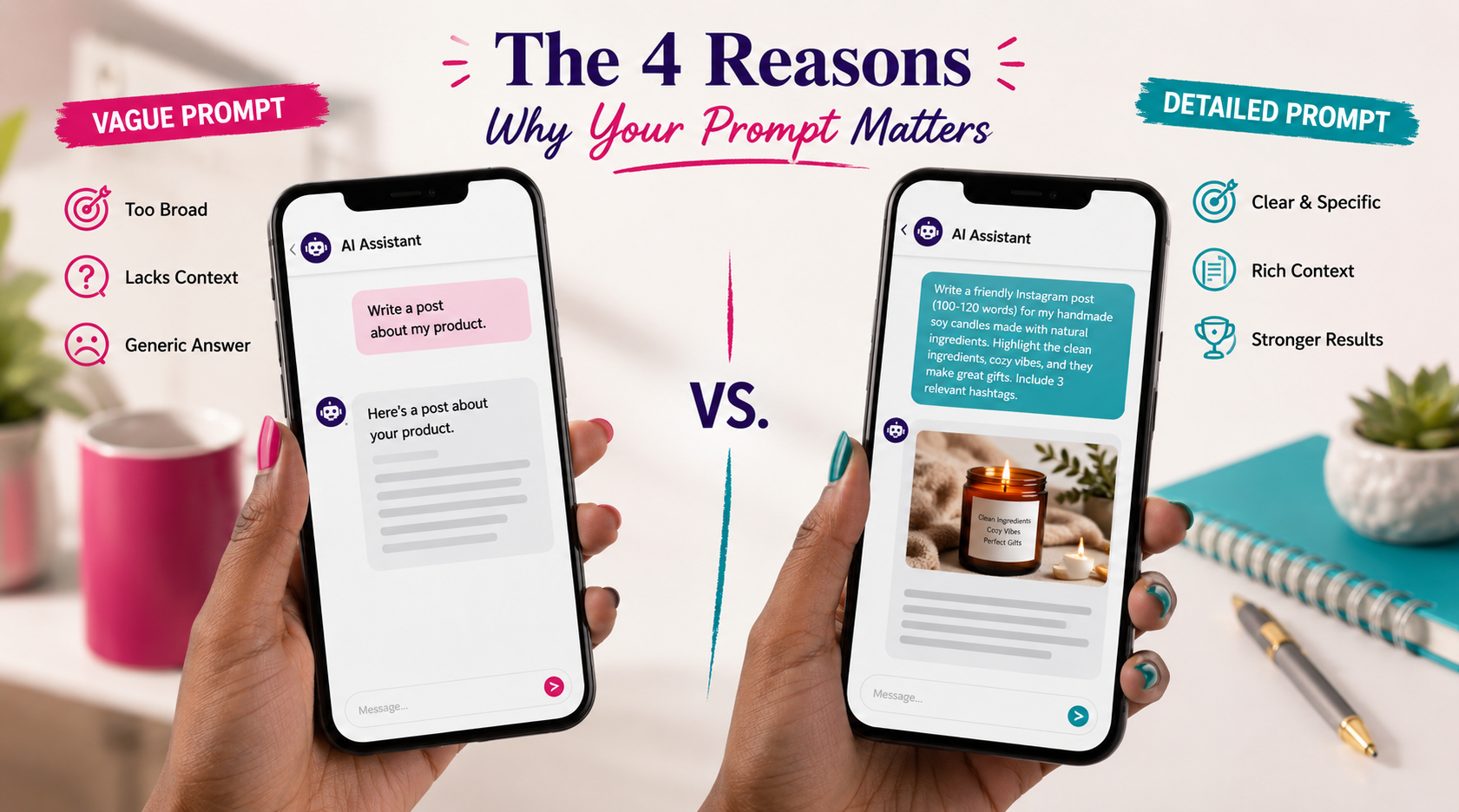
The 4 Reasons Your AI Keeps Letting You Down
1. You're Not Telling It Who You Are
AI doesn't know you. It doesn't know your business, your audience, your tone, or your industry unless you tell it. If you don't give it context, it'll answer like it's writing for everyone—which means it's really writing for no one.
The fix: Start your prompts with a quick setup. Something like: "I'm a Black woman-owned stationery brand targeting professional moms. My tone is warm, colorful, and fun." Now it knows who it's talking for.
2. You're Not Telling It Who the Response Is For
Who is reading this? A potential customer? Your accountant? A kid? The AI can't calibrate without a target audience. Generic in, generic out.
The fix: Add the audience directly. "Write this for busy moms who don't have a lot of time." That one sentence changes the whole output.
3. You're Not Being Specific About the Format
Do you want a bullet list? A paragraph? An email subject line? Three options to choose from? A 200-word caption or a 50-word one? If you don't say, AI will pick—and it'll probably pick wrong.
The fix: Tell it exactly what you want. "Give me three Instagram caption options, each under 100 words, ending with a call to action." Watch how different that result is.
4. You're Treating It Like a Search Engine
This one is huge. A lot of people type into AI the same way they type into Google—short keywords, no context, no instructions. AI isn't Google. It's a conversation partner. It performs better the more you treat it like one.
The fix: Write full sentences. Give background. Have a back-and-forth. If the first answer isn't right, don't start over—just respond and tell it what to adjust.
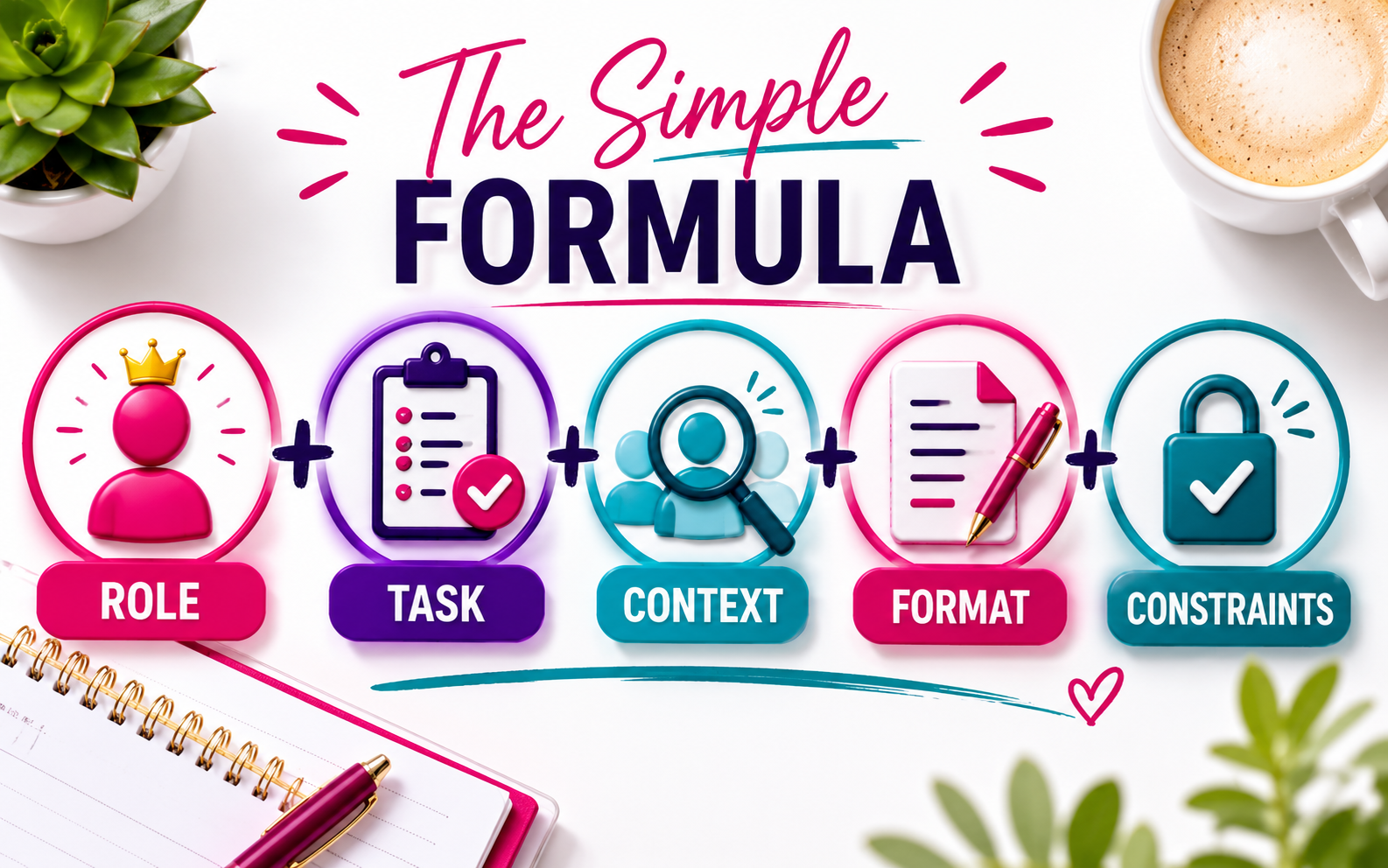
The Simple Formula That Actually Works
Here's a structure you can use every time. Think of it as your AI cheat sheet:
Role + Task + Context + Format + Constraints
Let's break that down with a real example.
Before (bad prompt):
"Write a caption for my product."
After (good prompt):
"You are a social media copywriter for a vibrant, Black woman-owned stationery brand called OhSoColorful Co. Write an Instagram caption for a new line of colorful weekly planners targeted at professional moms. The caption should feel warm, fun, and slightly playful. Include a call to action to shop the link in bio. Keep it under 100 words."
Same tool. Completely different result. The AI didn't get smarter—you just gave it more to work with.
What If the Answer Is Still Off?
Don't start over. That's the biggest mistake people make. If the response is close but not quite right, just tell the AI what needs to change.
You can say things like:
"Make it shorter."
"That's too formal. Write it like I'm texting a friend."
"The first option is closest—can you give me two more variations in that direction?"
"Add a sense of urgency to the CTA."
This back-and-forth is called iterating, and it's actually how most experienced AI users get to great results. Nobody's prompt is perfect on the first try. Not even mine.
One Quick Example from Real Life
Ms. Cookie (my 74-year-old mother-in-law) tried AI for the first time and typed: "recipe." Just the word. Recipe.
She got... a recipe. For something she didn't want, in a way she couldn't use. And she concluded that AI was useless. It wasn't useless. It just needed more. When I sat with her and we retyped it as "Give me a simple, one-pot chicken recipe for two people, using ingredients I already have like onions, garlic, and canned tomatoes. No more than 30 minutes of active cook time."—she got exactly what she needed.
That's the whole lesson right there.
What About Prompt Templates? Do I Need Those?
Prompt templates, sometimes called prompt libraries, are pre-written prompts you can customize and reuse. And yes, they're incredibly helpful—especially when you're first getting started and you're not sure how to structure things.
We're going deep on those in Day 5. But the honest answer is: once you understand why good prompts work, you can write your own on the fly. The formula above is all you really need to get started.
FAQ: Why Is My AI Giving Bad Answers?
Why does AI keep giving me generic responses?
Because your prompt didn't give it enough information. AI generates output based entirely on what you put in—vague question, vague answer. The fix is to add role, audience, format, and specific constraints to your prompts.
Do I need to know how to code to write better prompts?
Not at all. Prompt engineering for small business owners is basically just learning to write clear, specific instructions. No technical background required.
What is the best way to write a prompt for ChatGPT or Claude?
Use the Role + Task + Context + Format + Constraints framework. Tell it who it's writing for, what you need, how long it should be, and what tone to use.
What do I do if the AI answer is close but not right?
Don't start over. Respond and tell it specifically what to adjust—length, tone, format, or content. This back-and-forth is called iterating and it's how experienced users get great results.
Is there a difference between how you prompt ChatGPT vs. Claude?
They respond similarly to well-structured prompts. Some nuances exist—we cover those in Day 6: ChatGPT vs Claude vs Perplexity. But the core framework works for all of them.
Why does AI sometimes give wrong information?
AI can "hallucinate"—meaning it generates confident-sounding answers that aren't accurate. This is most common with facts, statistics, and current events. Always verify important information from an original source.
Can I save good prompts to reuse later?
Yes, and you should. That's exactly what a prompt library is. We break down how to build yours in Day 5.
The Bottom Line
Your AI isn't dumb. It's just waiting for better instructions. Give it context, be specific about the format, tell it who you are and who you're talking to—and watch the difference.
The goal isn't to become a "prompt engineer." It's to understand that AI is a conversation, not a vending machine. The more you put in, the more you get back.
Your action step for today: Take the last prompt that gave you a bad answer, rewrite it using the Role + Task + Context + Format + Constraints formula, and run it again. Share your before/after in the comments—I genuinely love to see the glow-up.
Want to put this into practice live, with me walking you through it in real time? AI Made Simple Weekly is a weekly live Zoom where we take one business task per session—emails, social captions, product descriptions—and actually build it with AI together. Come learn by doing.