

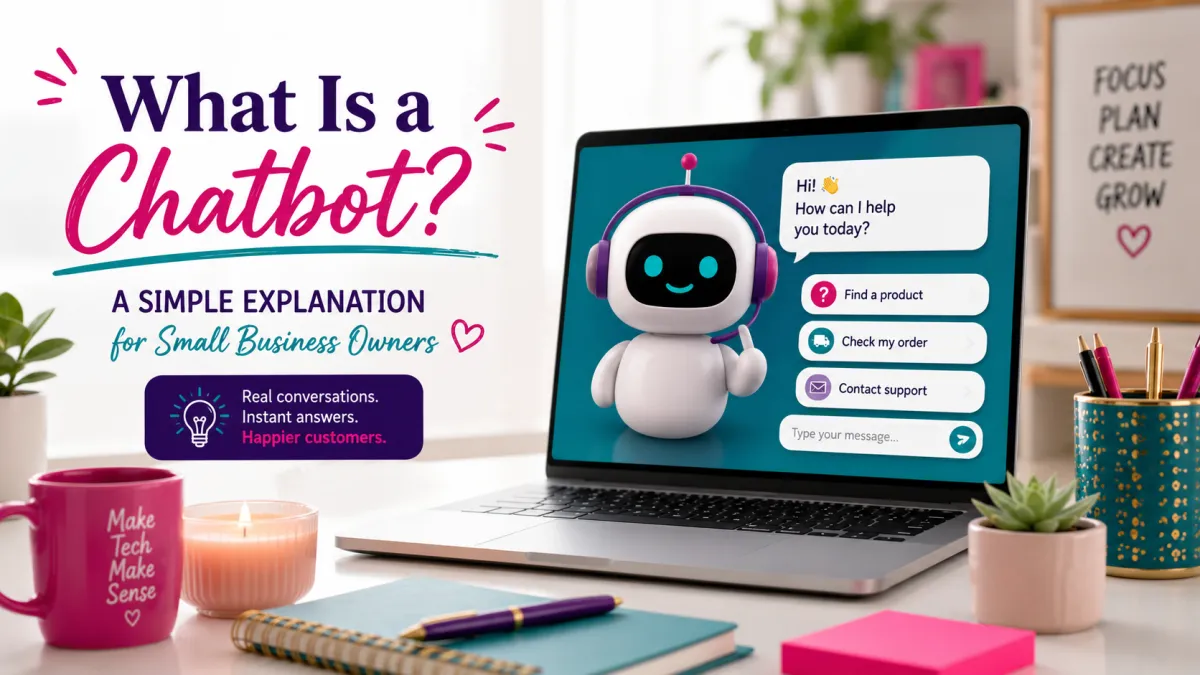
What Is a Chatbot? Simple Guide for Small Businesses (Day3)
What Is a Chatbot? A Simple Explanation for Small Business Owners
You know that instant reply you got when you messaged a company at 2am? The one that answered your question in seconds?
That was a chatbot. And honestly? You've probably interacted with five of them today without even realizing it.
This is Post 3 of 21 in AI Made Simple for Small Business Owners, a series where I break down artificial intelligence concepts without the tech overwhelm. The goal is simple. Help you understand what these tools actually do so you can decide what's useful for your business and what's just noise.
If you're like my 74yr old mother-in-law Ms. Cookie—who genuinely thought companies had people working around the clock just to answer chat messages—you're not alone. Most people don't know they're talking to software half the time.
Here's what you need to know about chatbots, in plain English. No tech jargon. No complexity. Just the facts.
What Is a Chatbot?
A chatbot is software that can have a conversation with you.
That's it. That's the whole definition.
It's programmed to understand what you're asking and respond the way a person would. Some chatbots are basic—you ask "Where's my package?" and it spits out a tracking link. Others are advanced, like ChatGPT, where you can ask literally anything and get a thoughtful response.
But at the core, it's just code designed to chat. Hence the name: chatbot.
Think of it like an automated assistant that never sleeps, never takes a lunch break, and can handle thousands of conversations at once.
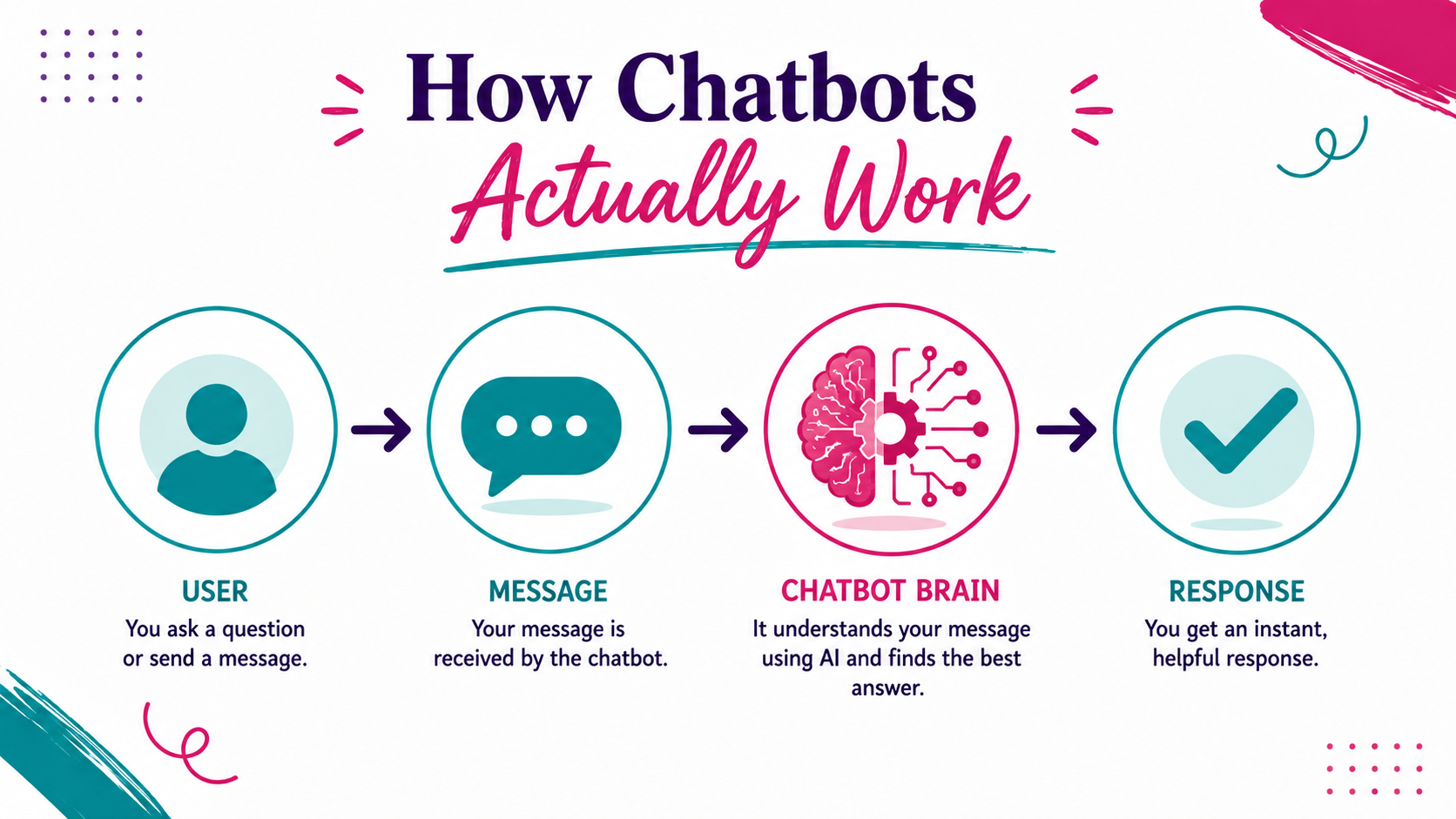
How Chatbots Actually Work
Here's the simple version: You type or say something. The chatbot reads it, figures out what you need, and responds based on how it was programmed or trained.
Basic chatbots follow a script. You say X, they say Y. It's like a flowchart—if you click "Track my order," it shows you tracking info. If you click "Return policy," it pulls up the return page. Pretty straightforward.
Advanced AI chatbots (like ChatGPT, Claude, or Google's Gemini) don't just follow a script. They use something called a Large Language Model (LLM)—basically a massive AI brain trained on tons of text—to understand context, remember what you said earlier in the conversation, and adapt their responses.
That's why newer chatbots feel weirdly human. They're designed to mimic how we actually talk.
No magic. Just really smart programming.
Common Types of Chatbots
Not all chatbots are built the same. Here are the main types you'll run into:
1. Rule-Based Chatbots (Scripted)
These follow a preset path. You click buttons or type specific keywords, and they respond with pre-written answers. Think of the automated chat on your bank's website. Fast, simple, but not very flexible.
2. AI-Powered Chatbots (Conversational)
These use artificial intelligence to understand natural language and context. You can type however you want, and they'll figure it out. ChatGPT, Claude, and most modern customer service bots fall into this category.
3. Voice Assistants
Siri, Alexa, Google Assistant—these are chatbots you talk to instead of type to. Same concept, different interface.
4. Hybrid Chatbots
A mix of rule-based and AI. They follow scripts for common questions but can escalate to AI or a human when things get complicated. This is what most businesses use for customer service.
5. Transactional Chatbots
Designed to complete tasks like booking appointments, processing orders, or making reservations. They're action-focused, not just conversational.
Each type has its purpose. Rule-based bots are cheap and easy. AI bots are smarter but cost more. Voice assistants are great for hands-free use. Pick what fits your need.
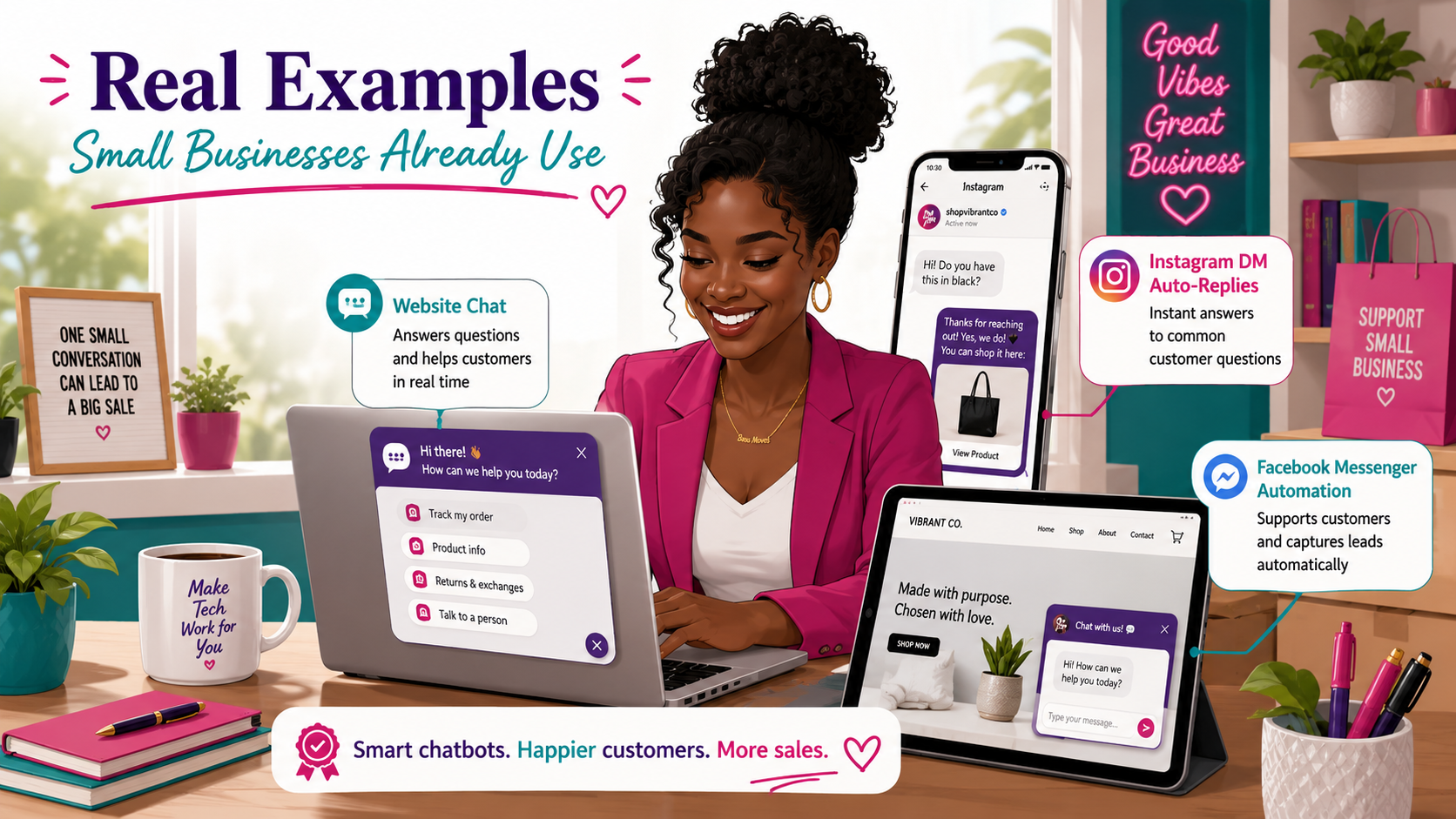
Real Examples Small Businesses Already Use
You've probably used chatbots without even thinking about it. Here's where they show up:
Customer service chats on websites
That little popup in the corner asking "How can we help?" is usually a bot. It handles FAQs, collects your info, and escalates to a human if needed.
Social media DMs
Ever message a business on Instagram or Facebook and get an instant reply? Bot. They can answer questions, share links, or book appointments while you sleep.
Appointment scheduling
Some businesses use bots to let you book services directly through chat. No phone tag. No waiting. Just pick a time and confirm.
Order tracking and returns
"Where's my order?" "I need to return this." Bots handle these all day, every day, without breaking a sweat.
Email autoresponders
Not technically a chatbot, but the same concept. You send an email, you get an automated reply with next steps.
If you've ever gotten an instant response from a company, there's a good chance a bot was involved.
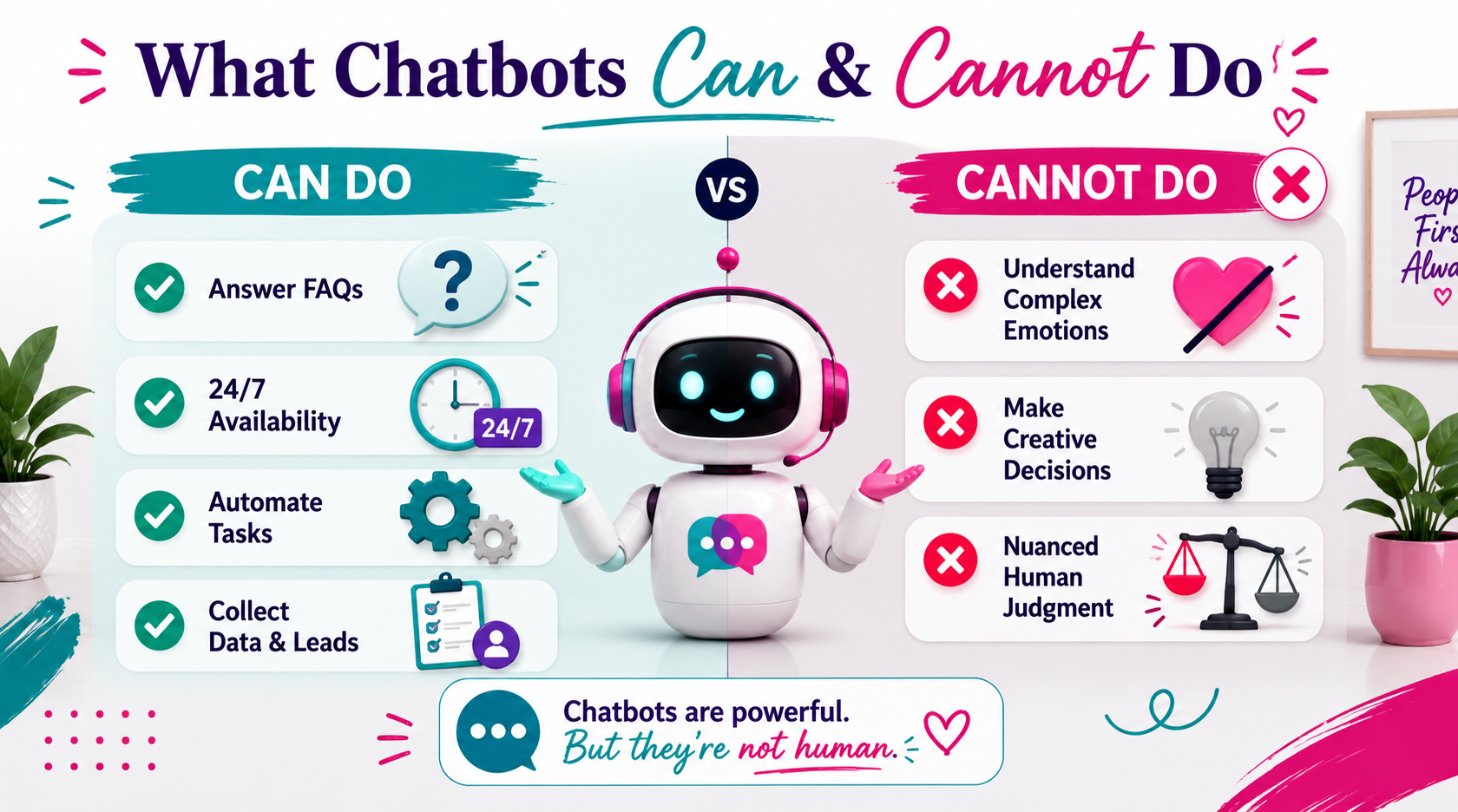
What Chatbots Can and Cannot Do
Let's set realistic expectations.
What Chatbots CAN Do:
Answer common questions instantly
Handle repetitive tasks (tracking orders, booking appointments, sharing links)
Work 24/7 without breaks
Manage multiple conversations at once
Collect customer information and route it to the right person
Provide consistent answers every time
What Chatbots CANNOT Do:
Handle truly complex or nuanced situations that require judgment
Replace human empathy and emotional intelligence
Understand sarcasm or context outside their training
Make creative decisions or solve brand-new problems
Fix everything (they're tools, not magic)
The key? Chatbots are great for the stuff humans shouldn't waste time on. They're not great at being human.
Use them to free up your time for the work that actually needs you.
Should Small Businesses Use Chatbots?
Depends on what you need.
You should consider a chatbot if:
You get the same questions over and over (FAQs, hours, pricing)
You want to respond to customers outside business hours
You're spending too much time on repetitive admin tasks
You want to collect leads or qualify prospects automatically
You're tired of playing phone tag for simple bookings
You probably don't need a chatbot if:
Your business is highly personalized and relationship-driven
You get very few customer inquiries
Your customers prefer human interaction for everything
You don't have the budget or tech resources to set one up properly
Start small. Test a basic chatbot for one task—like answering FAQs or booking appointments—and see if it actually saves you time. Don't overcomplicate it.
If it works, expand. If it doesn't, adjust or scrap it.
FAQ: Common Chatbot Questions
Q: Are chatbots replacing human customer service?
A: No. Chatbots handle simple, repetitive questions so humans can focus on complex issues that require empathy and judgment. They work together, not in competition.
Q: Do I need coding skills to set up a chatbot?
A: Not anymore. Platforms like ManyChat, Tidio, and Chatfuel let you build chatbots with drag-and-drop tools. No code required.
Q: How much does a chatbot cost?
A: It varies. Basic chatbots can be free or $10-50/month. Advanced AI-powered bots for businesses can run $100-500+/month depending on features.
Q: Can chatbots understand different languages?
A: Yes. Many AI chatbots support multiple languages. Check the platform's specs to confirm.
Q: What's the difference between a chatbot and AI like ChatGPT?
A: ChatGPT is a chatbot. It's just a really advanced one. The term "chatbot" covers everything from simple scripted bots to sophisticated AI assistants.
A chatbot is just software that talks to you. Some are basic. Some are smart. All of them are designed to save time and handle repetitive tasks.
You've been using them for years without realizing it. Now you know.
If you're curious, go to chat.openai.com and try ChatGPT for free. Ask it something random. See how it responds. Get comfortable with the idea that you're literally having a conversation with code.
Once you do, everything about how AI works starts to make sense.
This is Post 3 of 21 in the AI Made Simple for Small Business Owners series. Each post = one concept, clearly explained.
Want to keep learning?
AI Made Simple Weekly-- Join me live every week as we tackle one part of your business with AI. Real tools, real demos, no jargon.
👉🏾Grab your spot
AI Literacy Bootcamp-- The full foundation. From AI basics to building it into your daily workflow. Built for entrepreneurs who are done being confused.
👉🏾Join the Bootcamp
AI Explorers Workshop for Kids-- Got a kid ages 8-16? Get them AI-fluent before it becomes a requirement.
👉🏾Learn More